Getting Boarding Pass Data
Modern boarding passes (both paper and digital) tend to have 2-D barcodes on them, and these bar codes contain data about both the passenger and the flight. With my boarding pass parser, you can see what that data means.
2-D Barcodes
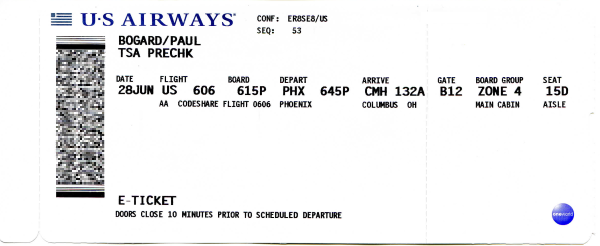
A paper boarding pass with a PDF-417 format barcode
If you have a paper boarding pass, or a digital boarding pass and a second phone to scan it with, you can use a barcode scanning app to get the boarding pass data. Paper passes typically use PDF-417 barcodes, and digital boarding passes typically use Aztec barcodes, so ideally you’ll want to find a scanner that can read both.
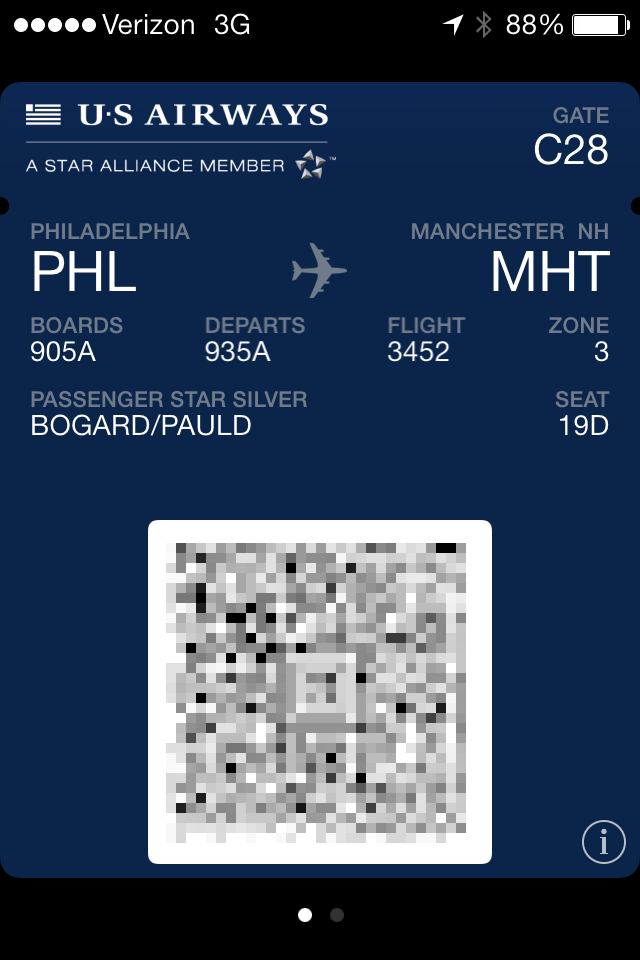
A digital boarding pass with an Aztec format barcode
If you don’t have a second phone to take a picture of the digital boarding pass, consider sending a screenshot to your computer and scanning it from your computer screen. There are also websites where you can upload an image of a barcode and it’ll give you the results.
Either of these options will give you a block of text that looks something like the following:
M1DOE/JOHN EABC123 BOSJFKB6 0717 345P014C0010 147>3180 M6344BB6 29279 0 B6 B6 1234567890 ^108abcdefgh
You can then paste this text into the boarding pass parser to see what it means!
Apple Wallet Boarding Passes
Apple Wallet stores digital boarding passes in a .pkpass file. The data used to generate the barcode is stored in this file, so you can get this data without having to scan it.
First, you need to get the .pkpass file onto a computer. The easiest way to do this is to use the Wallet app to share the pass, and use the share widget to email it to yourself.
The .pkpass format is actually a .zip file with a different extension, so open it with any zip file tool or change its extension to .zip to open it with your operating system’s file browser. Within this zip file, you’ll find a pass.json file.
Within the JSON file, look for a "barcode" key with a "message" key inside it:
"barcode" : {
    "format" : "PKBarcodeFormatAztec",
    "message" : "M1DOE/JOHN            EABC123 BOSJFKB6 0717 345P014C0010 147>3180 M6344BB6              29279          0 B6 B6 1234567890          ^108abcdefgh",
    "messageEncoding" : "iso-8859-1"
},
The contents of the message key are what you should paste in the boarding pass parser. Do not include the quotes, but include anything between the quotes (including any trailing spaces).