In 2009, I was promoted to a job with frequent travel. Soon thereafter, I started keeping track of all the places I’d been.
Table of Contents
Early Tracking (2009–2012)
My first attempt at keeping track of my travel was to create a simple heat map of the United States, with each state colored depending on how recently I’d visited.
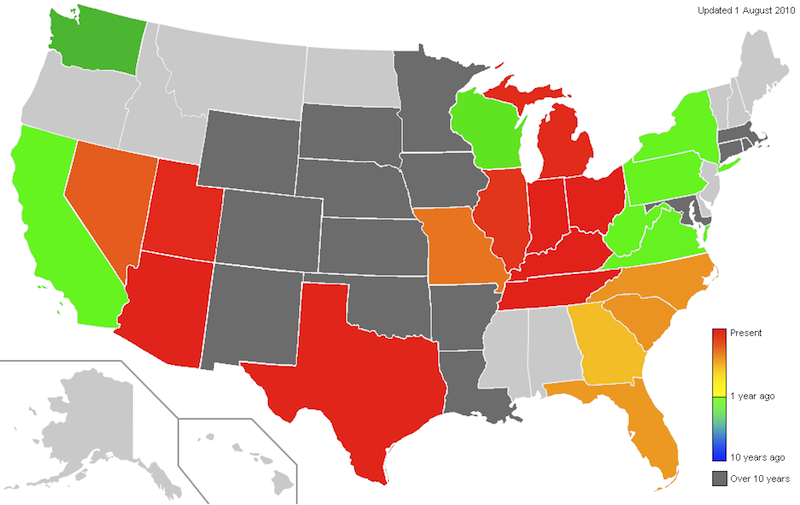
I kept track of the date of the most recent visit to each state in an Excel spreadsheet, and wrote a function to give me an RGB color based on today’s date and the date of the last visit. I would then manually recolor the states using an image editor. This worked, but it was labor intensive—every time I took a trip, I would have to recolor dozens of states.
I began to search for software that would generate a colored map of the states from an array of state colors. Before I found any, though, I discovered the Great Circle Mapper.
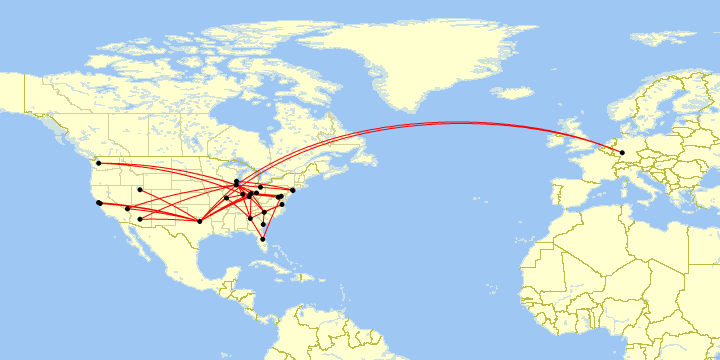
Map generated by Paul Bogard using the Great Circle Mapper - copyright © Karl L. Swartz
The Great Circle mapper allows the user to put in a string of airport pairs, and generates a map of great circle routes. (For example, DAY-DFW-PHX,PHX-ORD-DAY generates this map.) Tracking flights was more interesting to me than tracking states, so I went back through my travel receipts, wrote up a string of all of my flights, and saved it in a text file. Updating was relatively simple; I just had to type some more text at the end of my text file and copy and paste it into the Great Circle Mapper.
It worked for a while, but things gradually got more complicated. The Great Circle Mapper normally automatically zooms the map to include all of the airports in the user’s flight string. Most of my flights were in the contiguous United States, but a few flights to Europe forced the map to be zoomed out, which made the US map difficult to see as I filled in more of the map with flights. Fortunately, the Great Circle Mapper allows the user to designate that the map zoom should ignore a particular flight by prepending it with o:noext. (For example, CMH-ORD,o:noext,ORD-FRA,o:noext,FRA-EWR,EWR-CMH generates this map.) This let me flag all flights that left the contiguous U.S. so that the map would remain focused on the U.S., and I could see the details of all those routes. But it also meant I had to maintain two text files—one for a U.S. map, and one for the world.
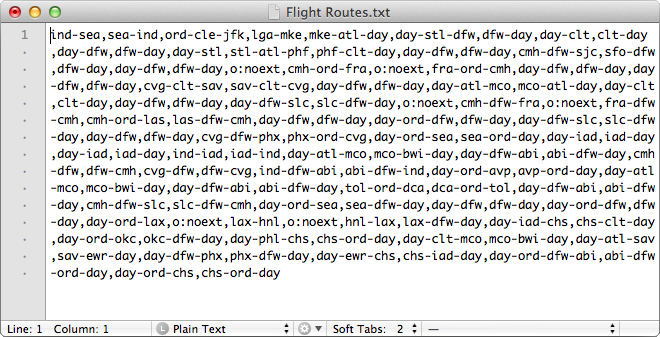
My flight route text file for the 48 contiguous states.
Then, in early 2012, I started tracking the aircraft family, tail number, and what class I sat in for all of my flights, and the data got more complicated. Now, a simple pair of text files was no longer good enough; I also had to keep a spreadsheet of all of the extra information about my flights.
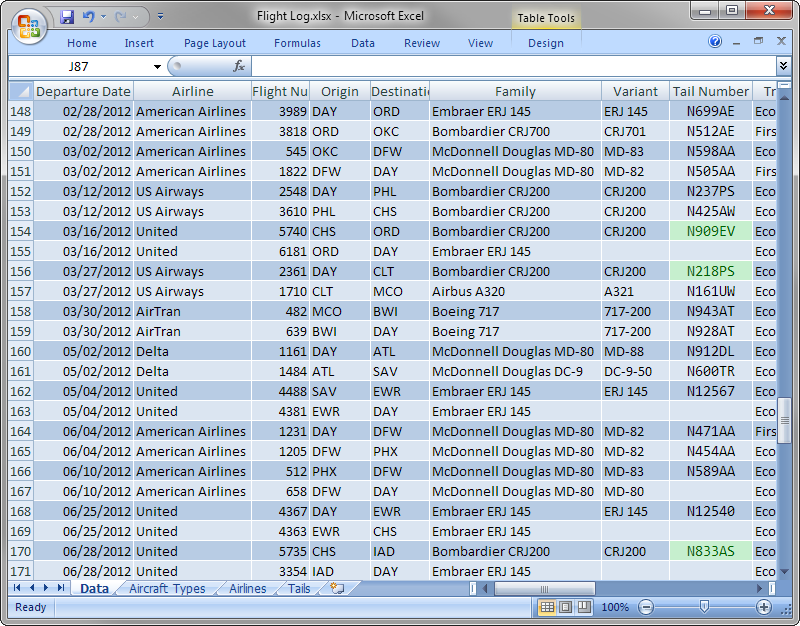
All this extra data let me do some fancy things, like make maps of all my trips on a particular airline or type of airplane, but it was a lot of extra work. I’d have to use filters in Excel, type up the routes and put them in the Great Circle Mapper, all to get a series of maps that would only be good until I took my next flight. I had a lot of data to manage.
Flight Log on Portfolio (2012–2016)


 GitHub:
 By June 2012, I had migrated my personal website from PHP to Ruby on Rails and named it “Paul Bogard’s Portfolio.” Although Portfolio was largely static pages, I recognized that Rails would work well to create a flight database website. I began development, and in April 2013 I released Paul Bogard’s Flight Log as a section of Portfolio.
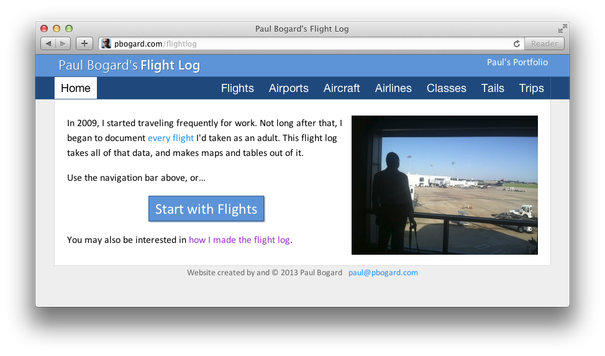
Paul Bogard’s Flight Log
The Rails flight log still used Great Circle Mapper to draw maps, but it automatically generated the map strings based on my flight data.
For the next few years, I continued adding functionality to the Portfolio flight log.
Flight Historian (2016–2026)



As my flight log kept getting better, it eventually felt big enough to stand on its own. I also hadn’t been happy with my web host running out of date Ruby versions, and was looking to move. I decided to split my portfolio and flight log into two different sites, both hosted as separate applications on Heroku. I named the new standalone flight log “Flight Historian,” and released it at the end of January 2016.
A year later, I added the ability to import digital boarding passes. I could email an Apple Wallet pass to an email account I had set up, and then Flight Historian would log into that email account, parse the digital boarding pass barcode, and look up the flight info on what was then FlightXML (now AeroAPI) to prepopulate my new flight form. This saved me a ton of time filling out a web form for every flight I took, and made it essentially effortless for me to keep track of my flights. Since I had the logic to decode boarding pass barcodes anyway, I also added a public boarding pass parser page to Flight Historian (which is now hosted on this site’s Boarding Pass Parser page).
I continued to improve Flight Historian over the next few years, adding things like map regions. I wrote some internal functions to generate GPX and KML files, and eventually made them part of the user interface.
2024 was a big year for Flight Historian. I switched my static Great Circle Mapper maps to interactive Mapbox maps, giving users the ability to pan and zoom. Having Flight Historian log into IMAP inboxes was becoming unreliable, so I changed to using a AWS SES cloud solution. And on the data side, I conducted a big research project to log all of my oldest flights.
GeoPackage Flight Log (2026–Present)


In February 2026, Heroku (Flight Historian’s host) effectively announced that they were going end-of-life. Although they didn’t give a specific end date, it was clear that If I wanted to keep Flight Historian online long-term, I was going to have to migrate it to another host.
By that point, the rest of my travel data (particularly my driving and lodging logs) were kept locally in GeoPackage files on my computer. Instead of moving Flight Historian to another host, I decided to keep all of my travel data in one place and moved all of my flight data to a GeoPackage file as well, and wrote a Python command-line interface (CLI) tool named “PBFlightLog” to manage it. This Python and Geopackage setup is my current Flight Log.